
There was a website that looked perfectly fine. Mine. The photos loaded, the menu worked, nobody complained. Then I opened PageSpeed Insights on my phone and got a 49 out of 100, which is the digital equivalent of a doctor looking at your X-ray and saying “huh”.
How it got slow without anyone noticing
Year by year, the site quietly got heavier. A theme from 2015. A slider I never used. Twenty-four stylesheets that all insisted on loading before anything at all appeared on screen. A hero image that took 9.5 seconds to show up on a mobile connection. Every visitor was politely waiting for my website to finish thinking, and I had stopped noticing, the way you stop hearing a fridge.
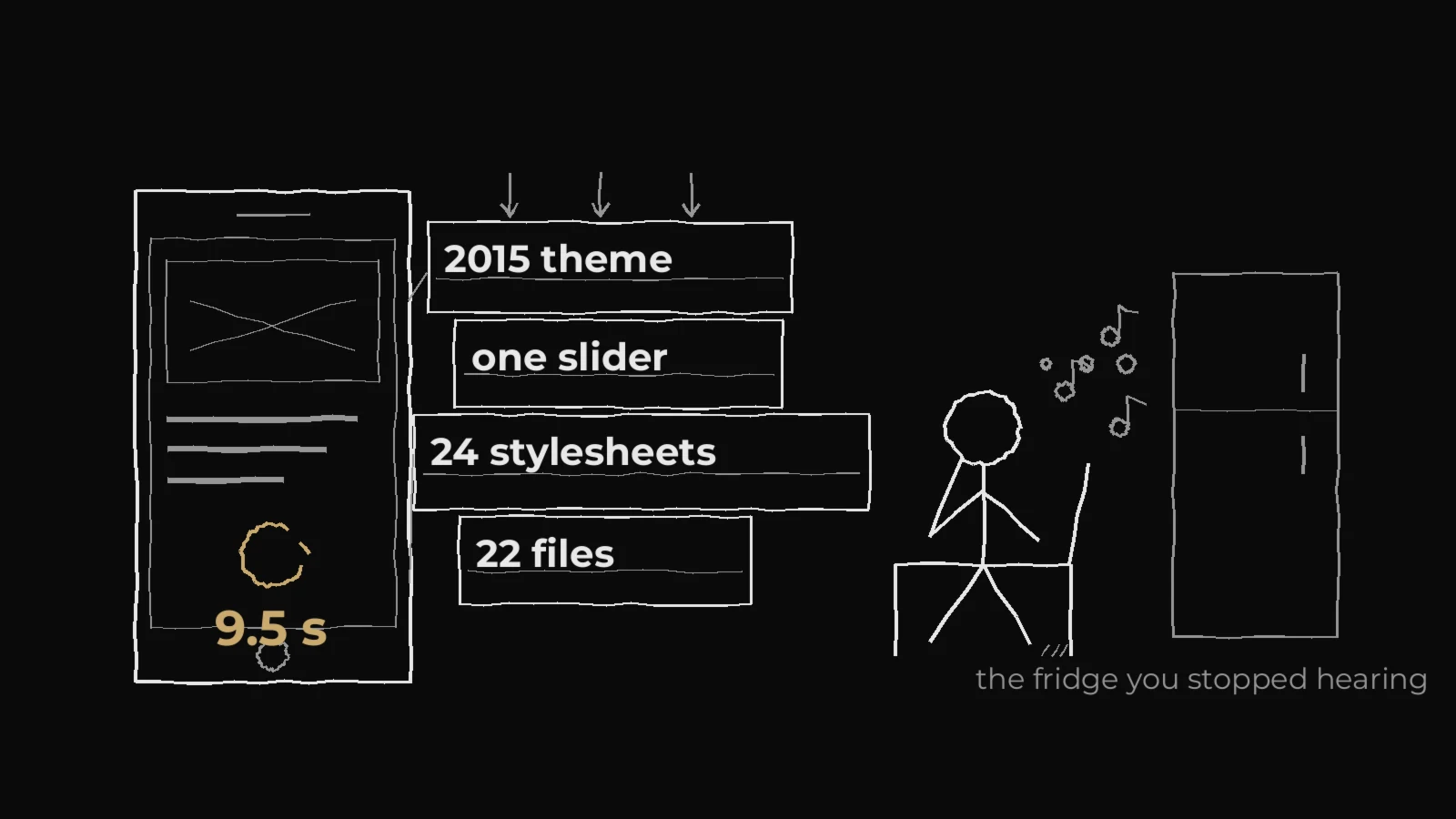
So I asked an AI to look under the hood. I opened Claude Code, pointed it at the site and asked for an honest audit. It came back with the list I had been avoiding: 174 images without alt text, pages without a single heading, leftover demo content from the theme (yes, someone else’s fake portfolio was still indexed on my domain), and a homepage that downloaded 22 files before it felt ready.
We made a deal before touching anything: the AI does the work, the measurements decide. Not vibes. Numbers, three runs each, median only.
The boring wins that did the heavy lifting
The first improvements were unglamorous and hugely effective:
- Combined the stylesheets: 22 files became a handful, then eventually one.
- Deferred every script, so the page could draw itself before JavaScript showed up.
- Put the fonts on a diet. Font Awesome was 77 KB for roughly ten icons; a trimmed version does the same job in 5 KB. Montserrat’s Latin Extended file (70 KB) was downloaded on every single page because of the “Š” in my footer. It is now 16 KB.
- Moved the non-www redirect out of WordPress into the server config. WordPress had been starting up completely just to say “go to www”, which took 650 ms. Now it takes about 20 ms.
- Replaced my logo, a 14 KB image shown at thumbnail size, with versions sized for the screen that actually asks for one.
- Wrote alt text for all 174 photos with AI. Total cost: twelve cents. It also confidently named people it had never met, so I deleted those.
Two early decisions saved me later. Everything went into a child theme, a separate layer on top of the original design, so the next theme update cannot wipe any of it. And we threw out the theme’s demo content: dozens of fake portfolio pages and testimonials from the people who built the template, still sitting on my domain, being offered to Google as my work.
Measure first, believe later
Here is what surprised me most. The same test, run twice on the same page, with nothing changed, can differ by eight points. If you change something, reload once, see a better number and cheer, you have learned precisely nothing. So every change got the same treatment: at least three runs with it on, three with it off, alternating, comparing the middle values. Each improvement also got its own on/off switch in the address bar, so I could see the page with and without it in the same minute, and switch anything off in seconds if it misbehaved. That is boring, and it is the entire reason this worked.

What went wrong: an honest list
Now the honest part, because otherwise this reads like an ad.
- Half of the “obvious” optimisations made it worse. Preloading the hero image: the main content went from 6 to 9 seconds. Loading the CSS without blocking: 6.0 to 7.4 seconds. Moving jQuery to the footer: instantly broke the photo galleries. Every one of those is standard advice on the internet. Every one of those was rejected by measurement on my site.
- I broke the icons on the live site. My clever font-trimming script ate a piece of the stylesheet it should not have touched, and for a few minutes every social icon on simonsiplak.com was an empty space. The screenshot check we ran after each deploy caught it, and the old file was back in under a minute. Lesson: deploy with the undo button already in your hand.
- Elementor gaslit me for an hour. I edited a blog post, saved it, reloaded: nothing changed. Edited again. Nothing. It turns out Elementor keeps its own copy of the text, and the normal WordPress content is just decoration. Once we edited the right copy, everything worked.
- The server lied politely. We replaced a file, reloaded, and got the old one back. Not the browser: my hosting keeps its own copy and happily serves the previous version for a while. Every check after that needed a fresh address, or we were grading yesterday’s homework.
- And my favourite: we spent a while investigating a page that returned “404 not found” in our tests while working perfectly in the browser. The cause? Our test addresses ended with “?m=” and “?w=” both reserved WordPress parameters for month and week archives. We had been asking WordPress for “all posts from week 1234”, and it correctly answered “there is no such week”.
We also found things that had been broken for years and that nobody, including me, had ever noticed: my own name printed in black on a black background on the About page, an empty grey box at the top of the blog on phones (a slider pulling posts from a category that contains none), and a contact form that had never actually sent a single message.
The least exciting idea won
The thing that finally moved the needle was the least exciting idea of all: put the handful of styles the first screen needs directly into the page, and let the rest load afterwards. The heading stopped waiting for a 300 KB stylesheet, and the score jumped. On mobile:
- PageSpeed score: 49 → 100
- Files the homepage loads: 22 → 10
- Fonts per page: 181 KB → 58 KB
- The redirect for anyone typing my domain without www: 650 ms → 20 ms
- Accessibility, Best Practices and SEO: 100 as well

What AI was good at, and what it was not
It was genuinely excellent at the tedious parts: reading a theme I have never opened, finding settings I did not know existed, writing the same careful change five times over, and describing the work afterwards in a way I could actually check. It never got bored on the fortieth test run. It was not good at knowing when to stop. Left alone, it will happily optimise a page nobody visits, and it will tell you confidently that the code is correct, which is usually true and occasionally the reason your icons vanish. My job turned out to be choosing what was worth doing, and looking at the result with my own eyes.
If you are about to try this
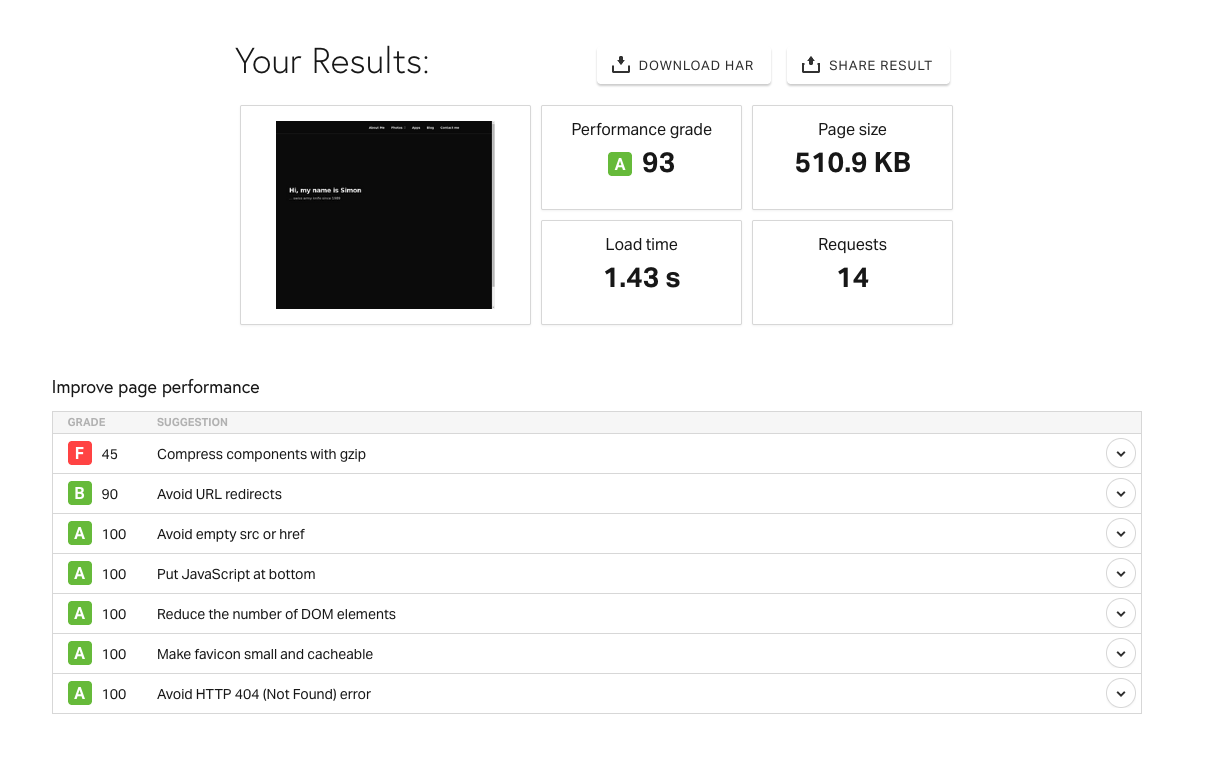
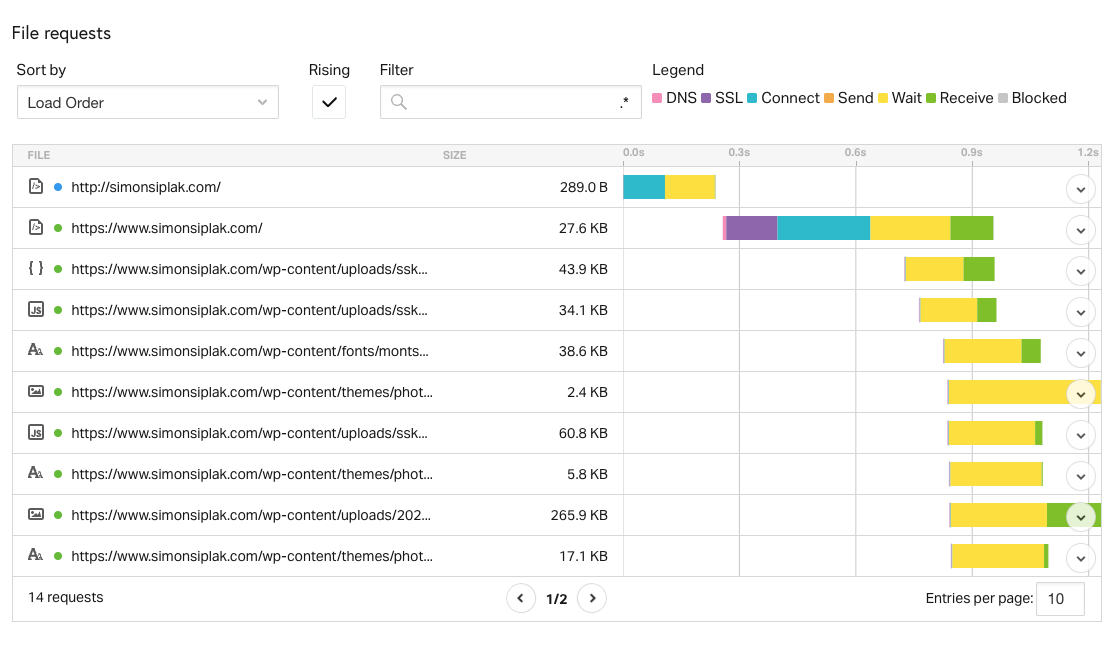
Test one change at a time. Compare medians, because single runs lie. Keep every change behind a switch you can flip back. Check the live page after every deploy, on a phone as well as a laptop. And start with the boring things: fonts, redirects, leftovers from the theme. The exciting ideas are usually the ones that make your site slower.
The whole thing took a few hours. Not because AI is magic, but because it is very fast at the part that used to make me close the laptop.

You might also like